
Research Note 05
Stäubli robot integration — VAL3 TCP socket plug-in
Wrapped VAL3 socket communication in a call AiveManual() function to control AIVE and RoboEye from Stäubli.
- Stäubli SP2
- VAL3
- TCP Clients socket
- sAive string send
- RoboEye vision
- AIVE base protocol
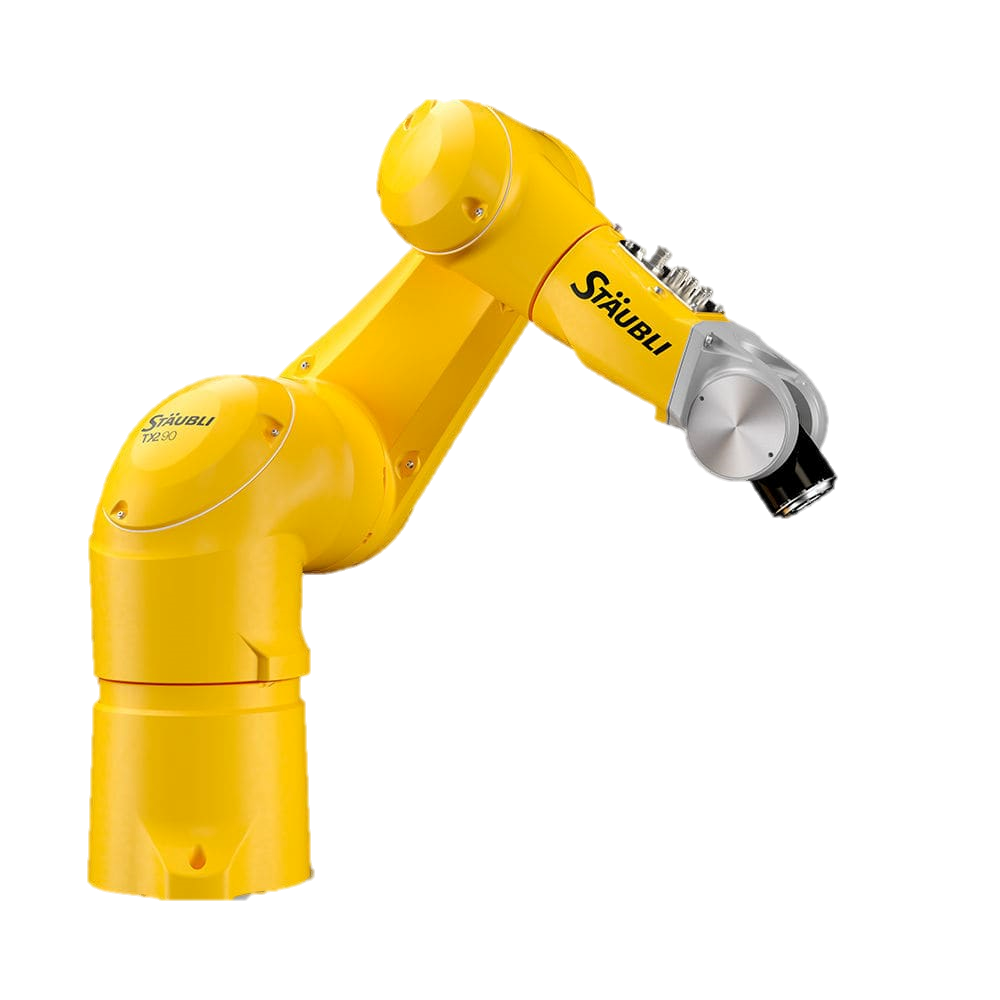
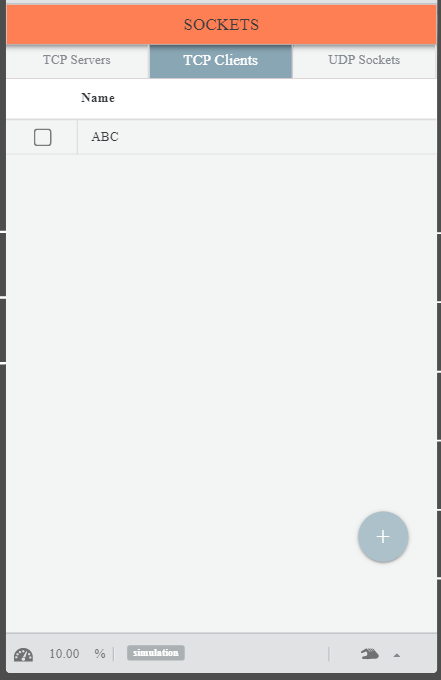
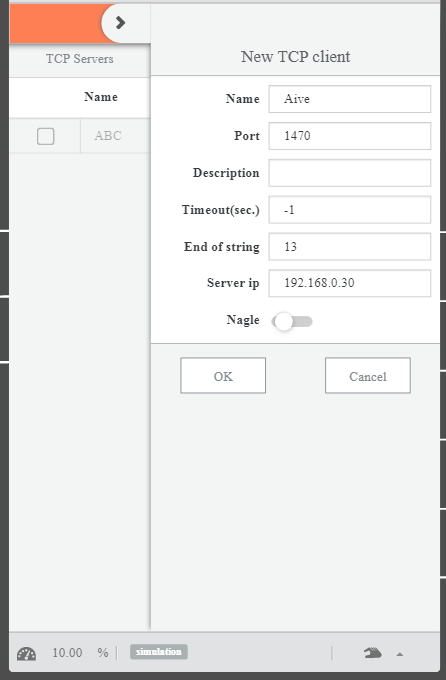
On the Stäubli SP2 teach pendant, a new client is registered via IO > Socket > TCP Clients. Set Name: Aive, Port: 1470, Server IP: 192.168.0.30, and verify the connection with Ping Test. On success the IP is printed; on failure a 'Destination host unreachable' message appears.
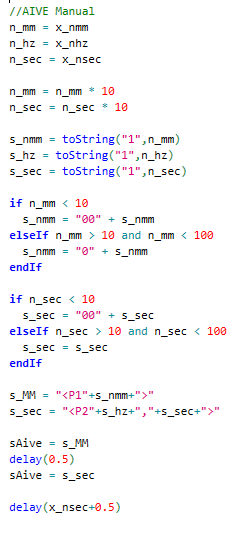
In the VAL3 program, AIVE protocol strings are assigned directly to the sAive variable and sent. e.g. sAive = "<C1>" (motor ON), sAive = "<L1>" (lighting ON). The AiveManual function takes n_mm, n_hz, n_sec, assembles the <P1NNN> and <P2NN,NN> strings, and waits the run time with delay().
Provided VAL3 programs: AiveManualWork (direct vibration), AiveLightON/OFF (lighting), AiveMotion / AiveMotionReady (stored motion). VAL3 requires padding via toString() to convert numbers to strings.
RoboEye vision integration was built on the same TCP Clients socket structure. Unlike AIVE control (command-out only), vision is bidirectional — sending a trigger and receiving coordinates. Stäubli VAL3 sends a capture trigger to the RoboEye server, which returns the recognized coordinates.
This technology is inside our products today
The structures validated in research notes are now part of AimFactoryCore and Robot Suite.