
Research Note 06
KUKA robot integration — Ethernet KRL plug-in
Verified controlling AIVE directly via KUKA's EthernetKRL XML configuration and EKI_Send.
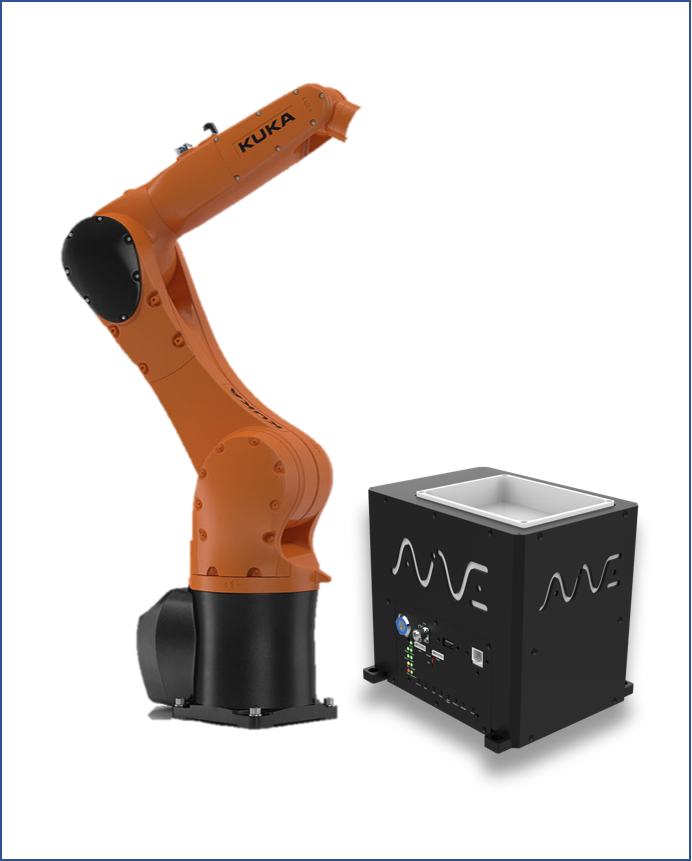
- KUKA KRC4
- KRL
- EthernetKRL
- EKI_Send()
- XML config
- xmlRoboeye
- AIVE base protocol
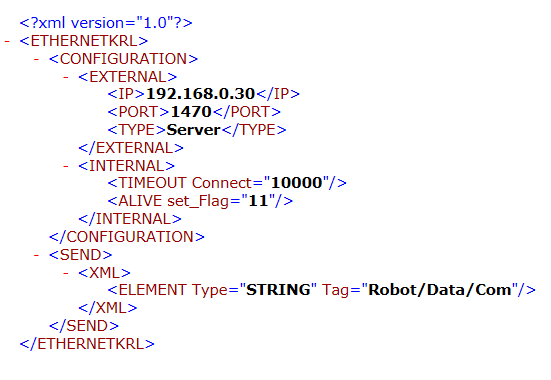
For TCP socket communication, KUKA needs an XML config file at C:/KRC/ROBOTER/CONFIG/USER/COMMON/ETHERNETKRL. AIVE is set as the server with <IP>192.168.0.30</IP>, <PORT>1470</PORT>, <TYPE>Server</TYPE>, and the robot IP is set on the SmartPad via Start-up > Network Configuration.
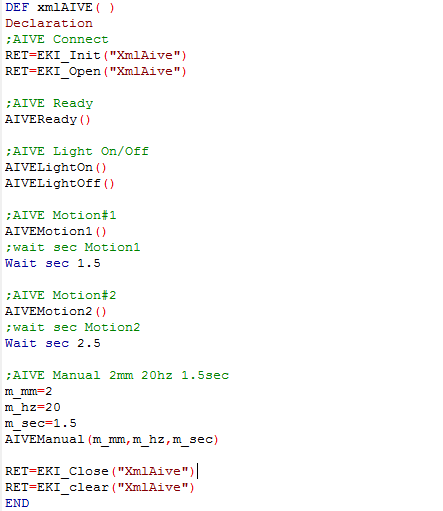
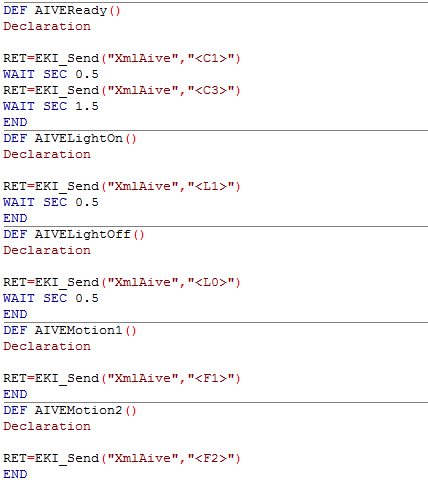
Communication is initialized in the order EKI_Init("XmlAive") → EKI_Open("XmlAive"), and AIVE protocol strings are sent directly with EKI_Send("XmlAive","<C1>"). KRL-wrapped functions — AIVEReady(), AIVELightOn/Off(), AIVEMotion1/2(), AIVEManual(mm,hz,sec) — are deployed to KRC:\R1\Program.
Inside AIVEManual, SWRITE converts the stroke, frequency, and time values into strings, assembles them in the <P1NNN> and <P2NN,NN> formats, and sends them sequentially with EKI_Send. Integer conversion and digit padding are the key logic.
Apart from AIVE feeder control, the KUKA RoboEye vision plug-in was built on the same EthernetKRL structure. The vision XML file defines separate SEND (trigger out) and RECEIVE (coordinates in) paths. The robot sends a capture trigger via the xmlRoboeye function, and the RoboEye server returns coordinates after processing.
This technology is inside our products today
The structures validated in research notes are now part of AimFactoryCore and Robot Suite.