
Recipe Management
Vision, feeder, robot —
switched with one recipe
Stop changing vision settings, feeder parameters, and robot variables one by one for every product change. Select a recipe ID and all three switch together.
01
What changes at product changeover
Before, every product change meant touching vision, feeder, and robot separately. With recipes, one ID selection switches all three at once.
Before — one by one
Change vision settings
Recognition/correction parameters reset, varies by operator
Re-tune the feeder
Vibration, lighting, hopper adjusted manually
Edit robot variables
Jobs, variables, points re-entered — needs an expert
= 3 separate engineering tasks, repeated for every new product
After — AimFactoryCore recipes
Recipe ID
Select the product
Vision
recognition · coords · correction
Feeder
vibration · lighting · hopper
Robot
jobs · variables · points
= simultaneous switch, consistent conditions · anyone can run it
02
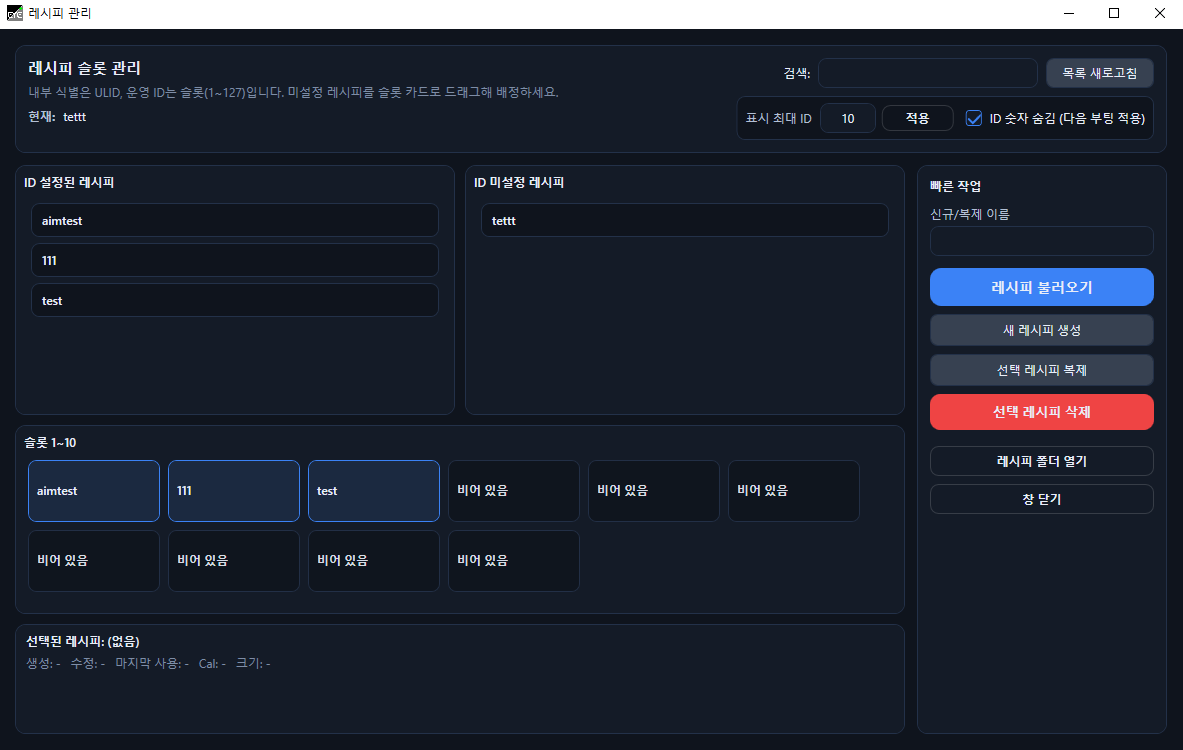
The recipe screen — ID & slot based
Register per-product recipes by ID and name, and operators call them from the screen. From DIO signals to robot/PLC communication, choose what fits your site.
Per-product recipe slots
Recipes are organized by ID and name so operators pick quickly from a list.
DIO-based switching
Keep using your equipment's existing DIO-based product-change structure.
Robot/PLC comms call
Recipe selection signals arrive over robot or PLC communication and switch conditions automatically.
Three conditions at once
Vision, robot, feeder, hopper, and lighting conditions apply together with one selection.
03
From recipe selection to automatic operation
Select a recipe ID
Organize per-product recipes by slot and ID, then select the operating conditions by name or ID.
DIO / comms call
Configure existing DIO signals and robot/PLC communication as the recipe-call method for your site.
Vision & robot conditions applied
Recognition settings, coordinate baselines, pick-up Z, robot variables and program conditions apply together.
Feeder & lighting control
Feeder, hopper, backlight, and top-light conditions apply automatically with the recipe.
Automatic operation
Pick coordinates generated by vision are sent to the robot to run the automatic sequence.
Let's map out the recipe setup for your line
Recipe configuration depends on product count, changeover method, and robot brand. We'll help review your site conditions before adopting AimFactoryCore.