Research Note 04
Universal Robots integration — URCaps plug-in
Connect up to four AIVE units simultaneously via PolyScope URCaps, and handle vision height offset inside the UI.
- Universal Robots
- URCaps
- PolyScope
- Up to 4 simultaneous
- HomeOffset height correction
- AIVE base protocol
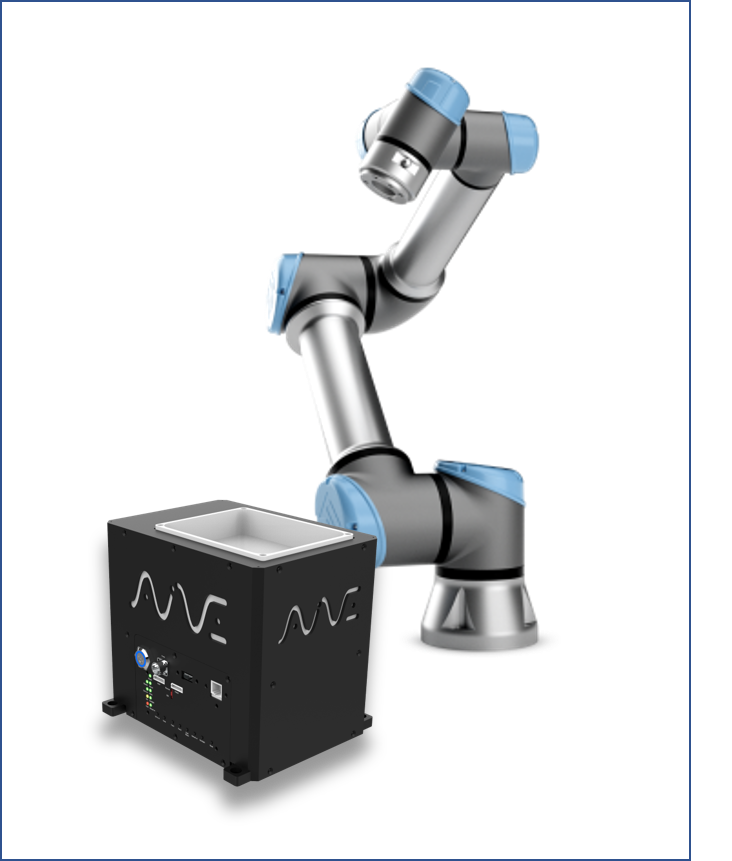
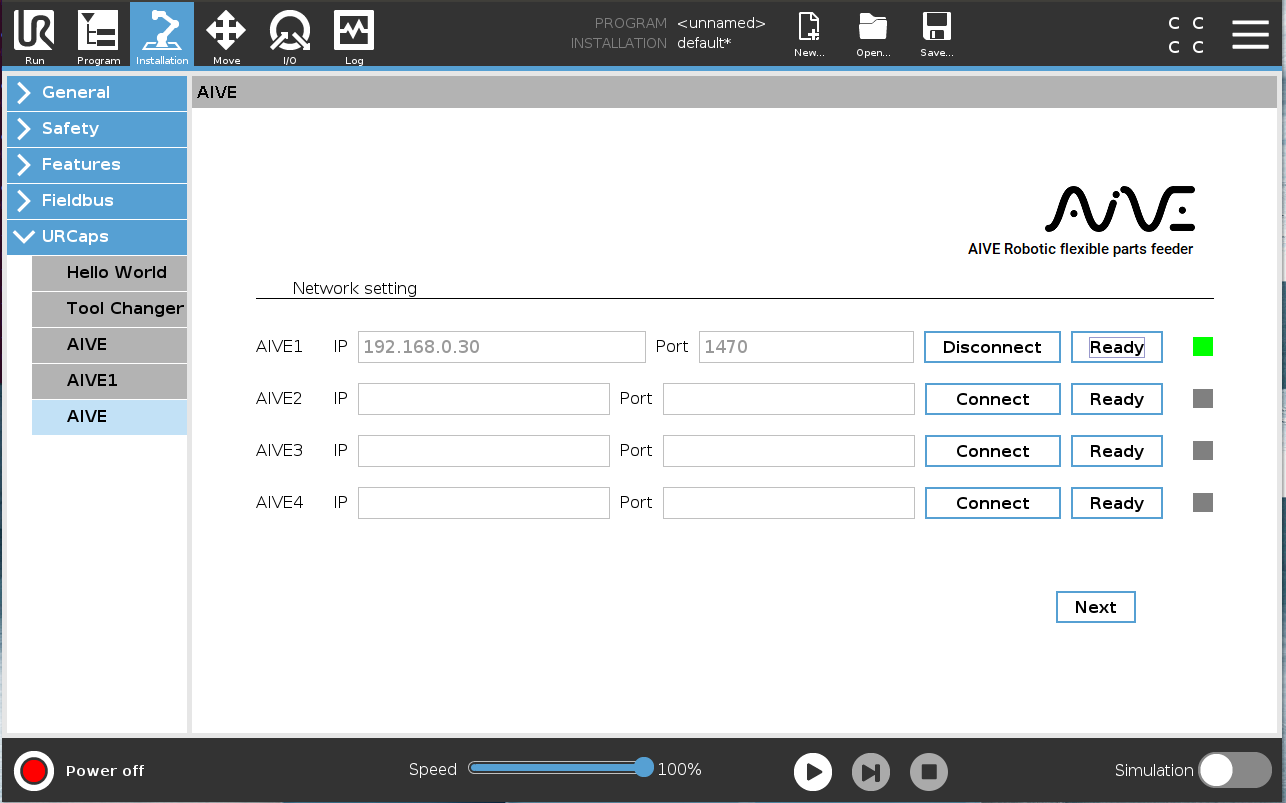
Installed as a URCaps plug-in, an AIVE menu appears on PolyScope's Installation tab. Up to four units (AIVE1–4) connect simultaneously by IP·Port (1470), and the Ready button does motor ON + home. Connection status shows as Green (OK) / Red (Error) / Gray (disconnected).
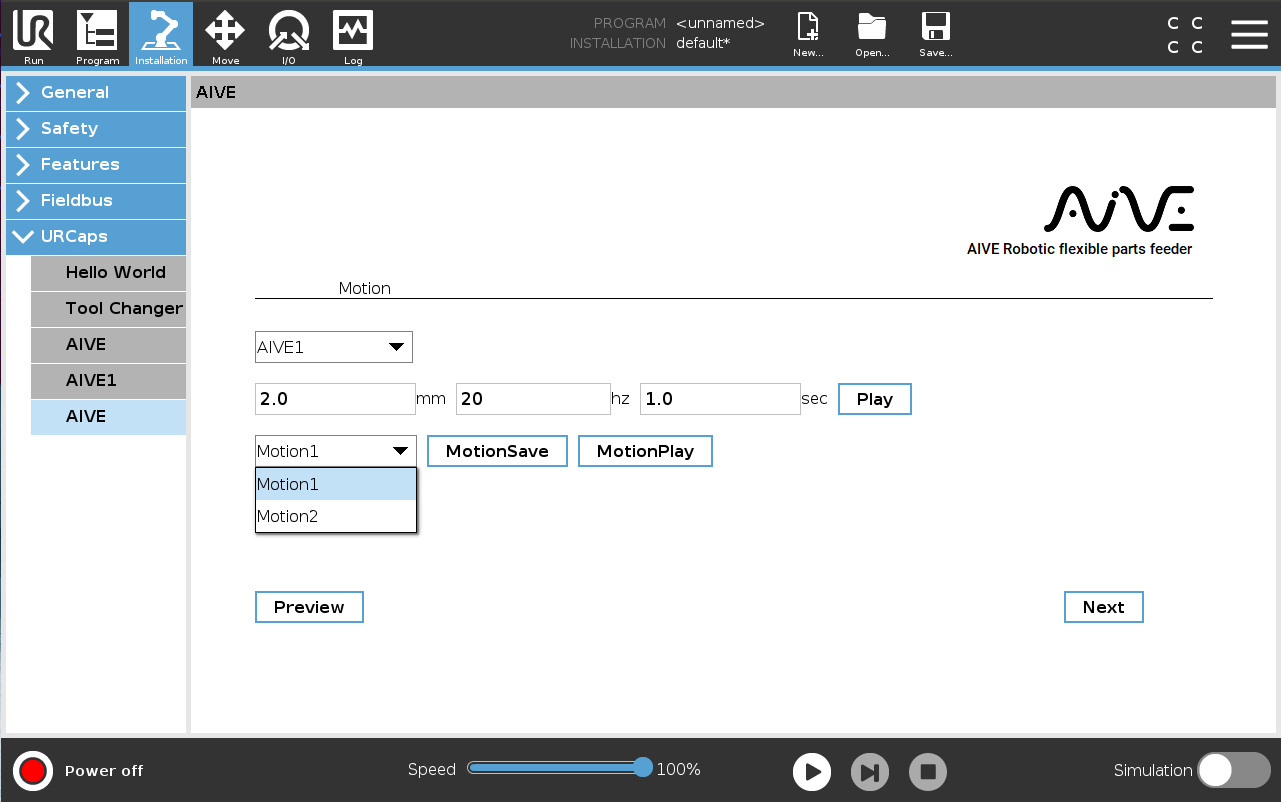
Setup is three steps. Connect AIVE in Network Setting, then enter mm·hz·sec parameters in Motion Setting and save to Motion 1/2 with Play → MotionSave. Finally, in the Vision Calibration tab, enter a Home Offset equal to the part height to correct the AIVE basket height (e.g. a 7mm part → enter -7 to raise the basket 7mm).
Program tab commands: Connect/Disconnect, Home, Light On/Off, Motion #1/2, Manual(mm·hz·sec), HomeOffset. With 'Wait for AIVE Complete' checked, the program advances after the completion signal; unchecked, it runs the next command immediately. The check is required when sending consecutive motion commands to the same AIVE.
Unlike KUKA (XML file install) or Stäubli (IO menu registration), UR's URCaps approach allows all setup in the UI. Engineers don't have to edit files directly, which speeds up on-site response.
This technology is inside our products today
The structures validated in research notes are now part of AimFactoryCore and Robot Suite.