
ROBOT SUITE
Agilibot × AimFactoryCore
Unified Operation
Connect directly to the Agilibot controller over TCP/IP — robot status monitoring, coordinate read/write, alarm receive, and JOB control from a single vision screen.
HOW IT CONNECTS
Direct connection to the controller
The Agilibot controller supports TCP/IP socket communication. AimFactoryCore connects directly over Ethernet — no drivers needed — and receives robot status, coordinates, and alarms in real time.
Vision PC
AimFactoryCore
TCP/IP
Direct Ethernet
Agilibot Controller
192.168.x.x
Robot motion
Coordinate · JOB
Communication
TCP/IP socket — direct Ethernet connection
Update rate
1 second — real-time status & coordinate receive
Coordinate format
TCP mm/deg — X/Y/Z/Rx/Ry/Rz
FEATURES
What you can do with Agilibot
Real-time robot status monitoring
Connection state, Motor / E-STOP / speed / IDLE, and Main JOB load status — updated every second and visible directly on the vision screen.
Coordinate read & write
Read and write TCP world coordinates (X/Y/Z/Rx/Ry/Rz) directly from the vision software. Vision results are delivered to the robot in a format it can use immediately.
Controller alarm receive & log
Alarm codes and timestamps are collected automatically. Field engineers can identify the cause and respond directly from the vision screen.
JOB load & execution control
Load and execute AimFactoryCore files on the Agilibot controller. PC-based operation without a teach pendant.
Per-recipe variable management
On high-mix lines, robot variables that differ per model are managed in the vision recipe. Switching models updates robot variables automatically with a single recipe selection.
Direct TCP/IP connection
Connect directly to the Agilibot controller over Ethernet. No additional drivers or middleware — only an IP address is required.
ACTUAL SCREENS
Live operating screens
Actual screens with Agilibot connected to AimFactoryCore.
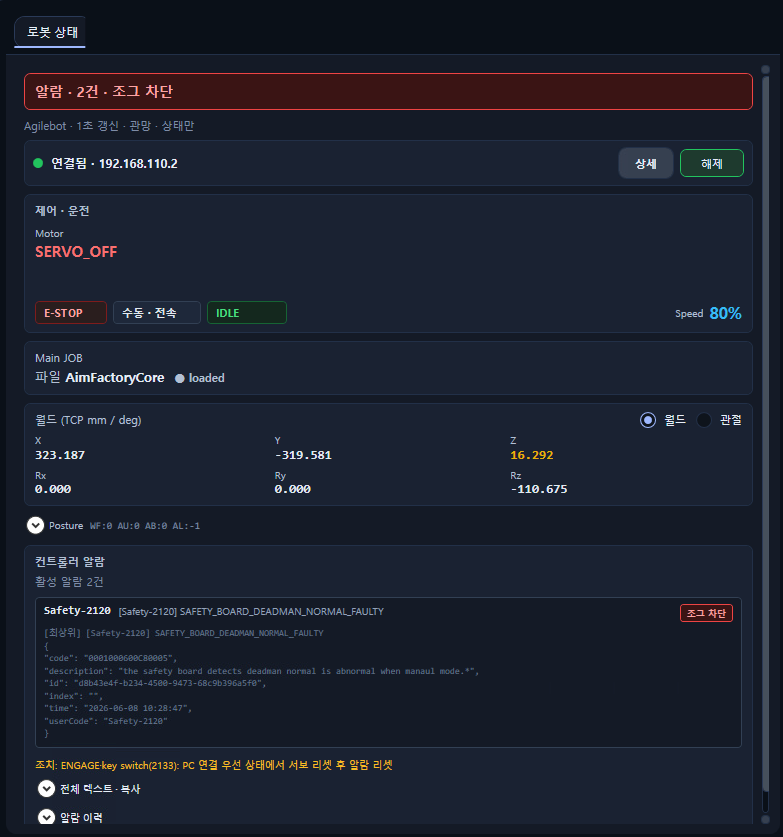
Robot status
Connection state, Motor ON/OFF, E-STOP, speed, Main JOB, and controller alarms — all on one screen.

Real-time coordinates
TCP world coordinates (X/Y/Z/Rx/Ry/Rz) and joint coordinates monitored in real time.
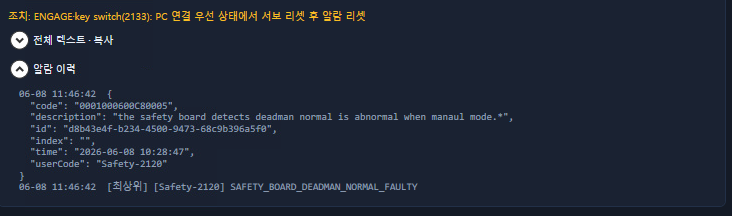
Alarm history
Controller alarm codes, messages, and timestamps are logged. Fast root-cause identification and response.
BEFORE / AFTER
Agilibot operation — before and after
Checking robot status
Walk to the pendant and check. Switch between the vision screen and robot screen to find the cause.
Robot status, alarms, and coordinates visible on the vision screen at once. Response is fast.
Delivering coordinates
Note vision results or convert them with a separate program, then enter manually.
Vision results are auto-converted to Agilibot format and delivered. No human intervention.
Switching product models
Manually change robot variables for each model. Requires a specialist.
One recipe selection switches robot variables automatically.
VIDEO
Agilibot in operation
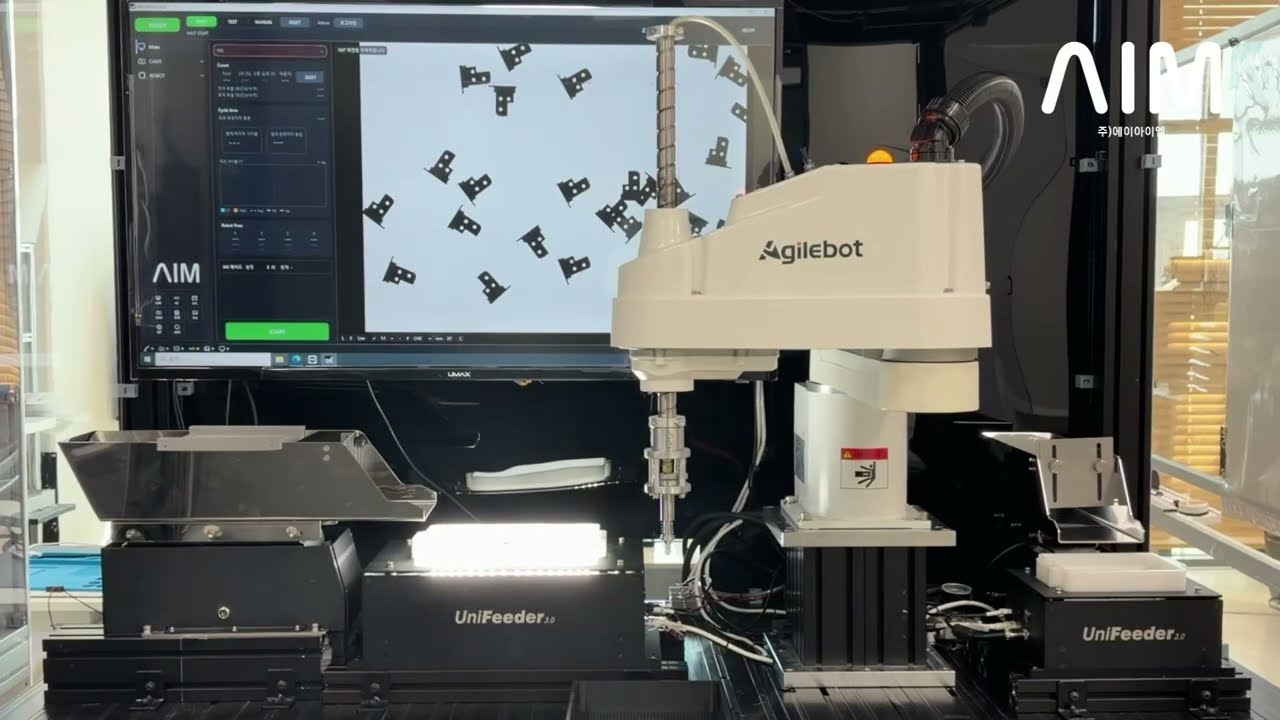
Agilibot robot operation video
GET STARTED
Agilibot integration inquiry
Tell us your Agilibot model and controller version — we'll review whether integration is possible.