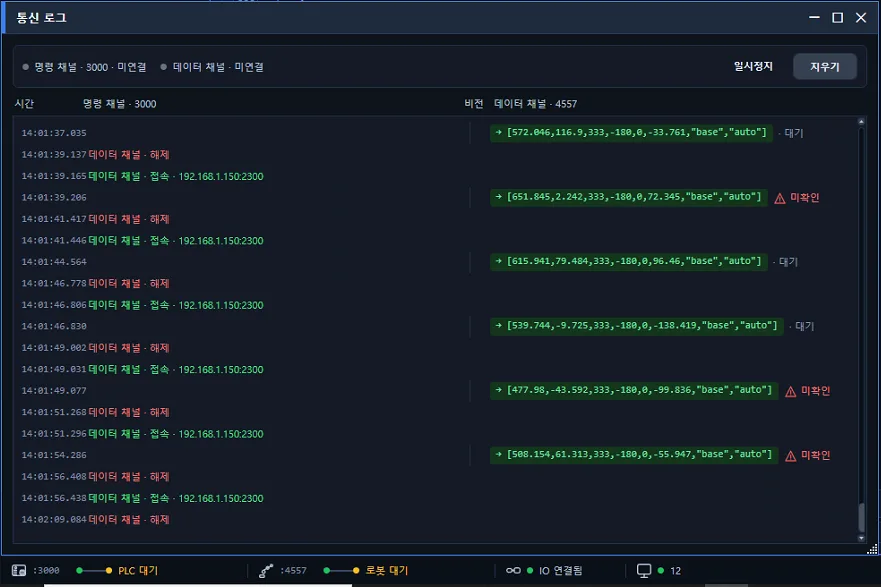
The most dangerous moment in a model change is the gap where the vision has switched but the robot has not yet. The coordinates are for the new part; the motion is for the old one.
When the order slipped, a person had to catch it
When the vision recipe and the robot program are managed separately, changing both together is left to the operator’s hands and memory. Change one and forget the other, and the line keeps running. It is more dangerous precisely because it does not stop.
So sites put a check procedure in place for every model change. And a procedure is the first thing skipped when people are busy.
The robot changes first; the vision changes only after verification succeeds
In a Hyundai Robotics configuration, a recipe change request writes the robot program to the controller first. The vision recipe is applied only after verification succeeds.
If verification fails, the previous recipe stays exactly as it was and an alarm is raised. Instead of half-crossing into the new model, the line stops in the state it was in before the change.
The window where only the robot runs an old program is closed by sequence, not by operator attention.
Re-synchronized at boot and at START as well
At power-on and when START is pressed, the current recipe’s robot program is matched again. Whatever ran last yesterday, today’s first cycle starts in the same state as the recipe selected now.
The screen knows what is loaded right now
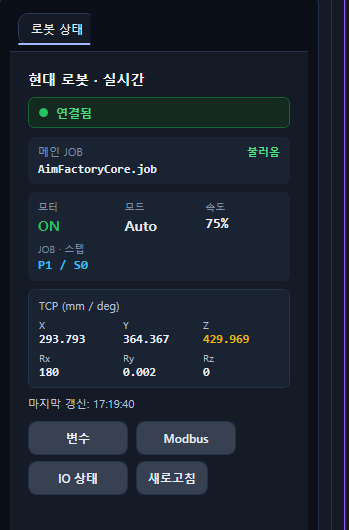
A robot state panel shows the controller’s current state in real time. Connection status, the name of the main JOB currently loaded, motor, mode and speed, JOB and step number, and the TCP coordinates are all on one screen. The time of the last update is shown alongside.
You read “this is what is loaded” from the screen, not “it must have changed.”
Where this matters
- Lines that change models several times a day
- Configurations where the upstream PLC sends down the model number
- Cells where a changeover lands in the middle of a shift handover